
Short answer: learn CrewAI first if you want results this weekend, LangGraph first if you want depth that pays off for months
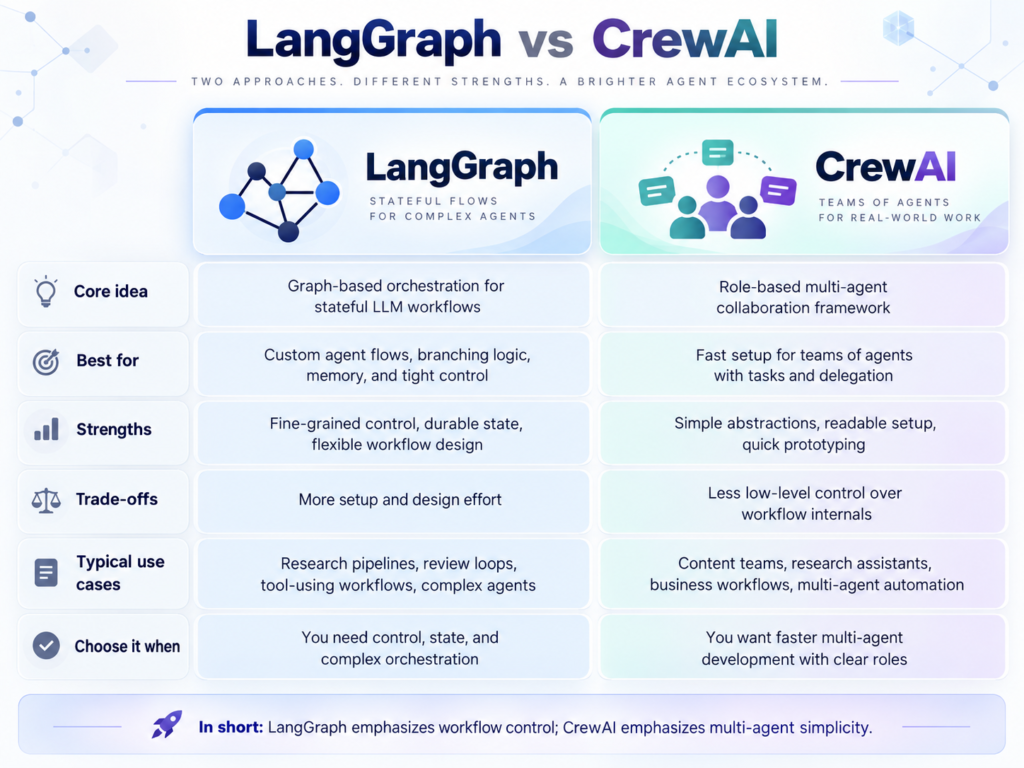
If you are starting out with AI agents in 2026, the LangGraph vs CrewAI debate is probably the first real decision you will face. Both are excellent Python frameworks for building multi-agent systems, but they were designed with different philosophies: CrewAI organises agents like a team of employees with roles, while LangGraph organises them like a flowchart with nodes, edges, and shared state.
There is no universally “better” framework — there is only the better first framework for your goals. If you are completely new to generative AI, this guide will give you a clear decision framework, honest pros and cons of each, and a learning path you can start today.
Table of Contents
LangGraph vs CrewAI: quick verdict
| Choose CrewAI first if… | Choose LangGraph first if… |
|---|---|
| You are new to AI agents and want a working multi-agent app in a day | You already use LangChain and want deeper control |
| You think in terms of teams, roles, and tasks | You think in terms of workflows, states, and branching logic |
| You want the gentlest learning curve | You are building for production and need observability, retries, and human-in-the-loop checkpoints |
| Your goal is a portfolio project, fast | Your goal is a production system with complex, looping workflows |
Bottom line: most beginners should start with CrewAI, then learn LangGraph second. The concepts transfer, and you will appreciate LangGraph’s precision far more after feeling CrewAI’s limits. Keep this LangGraph vs CrewAI verdict in mind as we go deeper — the rest of this guide explains the reasoning behind it.
What is CrewAI?
CrewAI is a Python framework for orchestrating role-based AI agents — and in the LangGraph vs CrewAI debate, it is the friendliest starting point. You define agents (each with a role, goal, and backstory, like job descriptions), tasks (the work to be done), and a crew (the team that executes the tasks in sequence or in parallel). If you have ever managed people, CrewAI will feel intuitive: a researcher agent hands findings to a writer agent, who hands a draft to an editor agent.
This metaphor is CrewAI’s superpower for learning. You do not need to understand graphs, state machines, or execution runtimes to get something working — you describe the team and the job, and the framework handles the orchestration.
A minimal CrewAI google colab example
# ============================================================
# CrewAI + OpenRouter
# Google Colab / Jupyter-safe
# ============================================================

import os
import threading

from openai import OpenAI
from crewai import Agent, Task, Crew, LLM


# ============================================================
# 1. LOAD OPENROUTER API KEY
# ============================================================

try:
    from google.colab import userdata
    OPENROUTER_API_KEY = userdata.get("OPENROUTER_API_KEY")
except Exception:
    OPENROUTER_API_KEY = os.getenv("OPENROUTER_API_KEY")


if not OPENROUTER_API_KEY:
    raise ValueError(
        "OPENROUTER_API_KEY was not found. "
        "Add it to Colab Secrets."
    )


os.environ["OPENROUTER_API_KEY"] = OPENROUTER_API_KEY


# ============================================================
# 2. OPENROUTER SETTINGS
# ============================================================

OPENROUTER_BASE_URL = "https://openrouter.ai/api/v1"

# IMPORTANT:
# Do NOT use openrouter/free while debugging.
#
# Use one specific model so the result is reproducible.

OPENROUTER_MODEL = "nvidia/nemotron-3.5-lightning:free"

TEMPERATURE = 0

# 600 can be too small for agent/reasoning models.
MAX_TOKENS = 4096


print("OpenRouter model:")
print(OPENROUTER_MODEL)


# ============================================================
# 3. DIRECT OPENROUTER TEST
# ============================================================

client = OpenAI(
    api_key=OPENROUTER_API_KEY,
    base_url=OPENROUTER_BASE_URL,
)


print("\nTesting OpenRouter directly...")


response = client.chat.completions.create(
    model=OPENROUTER_MODEL,

    messages=[
        {
            "role": "user",
            "content": (
                "Reply with exactly this text and nothing else: "
                "API connection successful."
            ),
        }
    ],

    temperature=0,
    max_tokens=256,
)


message = response.choices[0].message


print("\nReturned model:")
print(response.model)

print("\nFinish reason:")
print(response.choices[0].finish_reason)

print("\nContent:")
print(repr(message.content))


# Fail immediately if OpenRouter itself returned empty text.

if not message.content or not message.content.strip():
    print("\nFull response:")
    print(response)

    raise RuntimeError(
        "OpenRouter returned an empty content field. "
        "The problem is occurring before CrewAI."
    )


print("\nDirect API test PASSED.")


# ============================================================
# 4. CREWAI LLM CONFIGURATION
# ============================================================

# CrewAI/LiteLLM expects:
#
# openrouter/<OpenRouter model ID>
#
# OpenRouter ID:
#
# nvidia/nemotron-3.5-lightning:free
#
# CrewAI ID:
#
# openrouter/nvidia/nemotron-3.5-lightning:free

CREWAI_MODEL = f"openrouter/{OPENROUTER_MODEL}"


print("\nCrewAI model:")
print(CREWAI_MODEL)


llm = LLM(
    model=CREWAI_MODEL,
    api_key=OPENROUTER_API_KEY,
    base_url=OPENROUTER_BASE_URL,

    temperature=TEMPERATURE,
    max_tokens=MAX_TOKENS,
)


# ============================================================
# 5. TEST CREWAI'S LLM DIRECTLY
# ============================================================

print("\nTesting CrewAI LLM wrapper...")


llm_test = llm.call(
    messages=[
        {
            "role": "user",
            "content": "Reply exactly with: CREWAI_LLM_OK",
        }
    ]
)


print("\nCrewAI LLM response:")
print(repr(llm_test))


if not llm_test:
    raise RuntimeError(
        "Direct OpenRouter call succeeded, but CrewAI LLM.call() "
        "returned an empty response."
    )


print("\nCrewAI LLM test PASSED.")


# ============================================================
# 6. CREATE AGENT
# ============================================================

researcher = Agent(

    role="Technology Researcher",

    goal=(
        "Explain AI infrastructure and LLM API concepts "
        "accurately and concisely."
    ),

    backstory=(
        "You are an experienced AI technology researcher "
        "specializing in LLM APIs, inference optimization, "
        "prompt caching, and API cost reduction."
    ),

    llm=llm,

    verbose=True,

    allow_delegation=False,

    # Keep the agent from repeatedly retrying unnecessarily.
    max_iter=3,
)


# ============================================================
# 7. CREATE TASK
# ============================================================

research_task = Task(

    description="""
Explain how prompt caching reduces LLM API costs.

Cover these five points:

1. What prompt caching is.

2. Which portions of repeated prompts can benefit from caching.

3. Why cached input tokens may cost less than normal input
   tokens.

4. When prompt caching produces the largest savings.

5. Important limitations.

Use concrete numerical examples only when you are confident
they are accurate.

Do not invent API pricing.

If pricing depends on the model or provider, explicitly say
that pricing varies.
""",

    expected_output="""
Exactly five concise bullet points explaining prompt caching.
""",

    agent=researcher,
)


# ============================================================
# 8. CREATE CREW
# ============================================================

crew = Crew(
    agents=[researcher],
    tasks=[research_task],
    verbose=True,
)


# ============================================================
# 9. NOTEBOOK-SAFE SYNCHRONOUS RUNNER
# ============================================================

def run_crew_in_thread(crew):
    """
    Run synchronous crew.kickoff() inside another thread.

    Jupyter/Colab already has an asyncio event loop running
    in its main thread.

    Running CrewAI synchronously in a separate thread avoids
    that conflict completely.
    """

    result_container = {}
    error_container = {}

    def runner():
        try:

            # IMPORTANT:
            # synchronous kickoff, NOT kickoff_async()

            result_container["result"] = crew.kickoff()

        except Exception as exc:
            error_container["error"] = exc


    thread = threading.Thread(
        target=runner,
        daemon=False,
    )

    thread.start()
    thread.join()


    if "error" in error_container:
        raise error_container["error"]


    return result_container["result"]


# ============================================================
# 10. RUN CREW
# ============================================================

print("\n")
print("=" * 70)
print("STARTING CREWAI")
print("=" * 70)


result = run_crew_in_thread(crew)


# ============================================================
# 11. DISPLAY FINAL RESULT
# ============================================================

print("\n")
print("=" * 70)
print("FINAL RESULT")
print("=" * 70)


if hasattr(result, "raw"):
    print(result.raw)
else:
    print(result)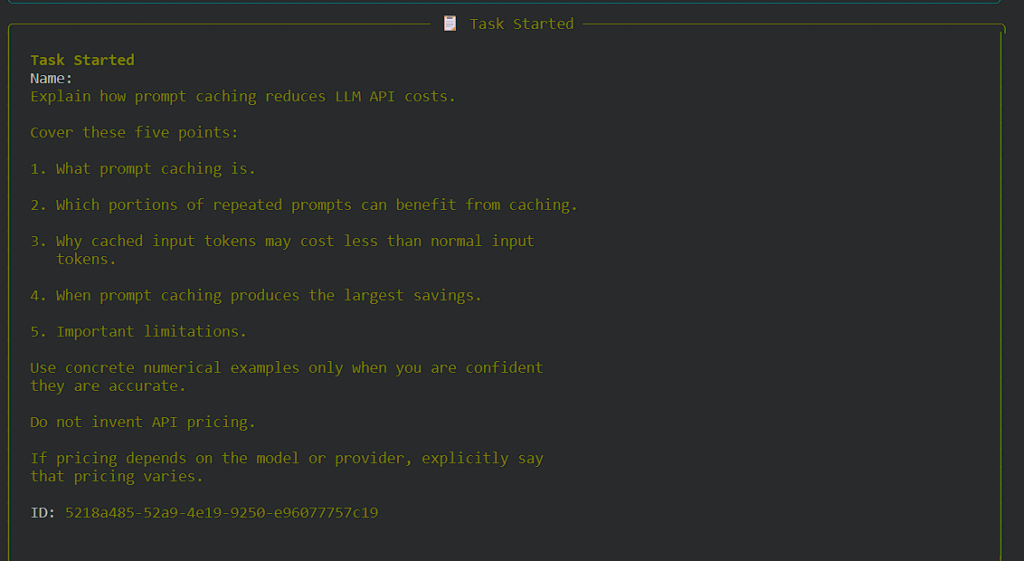
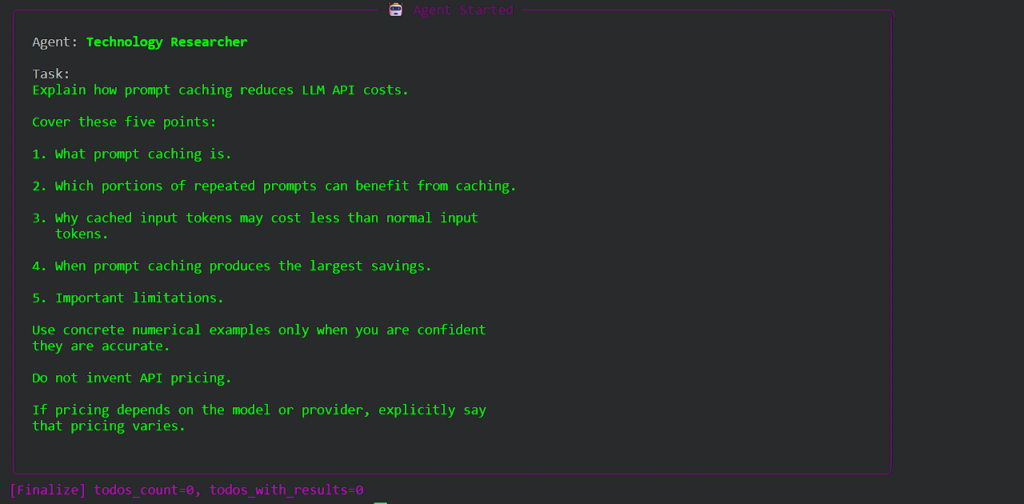
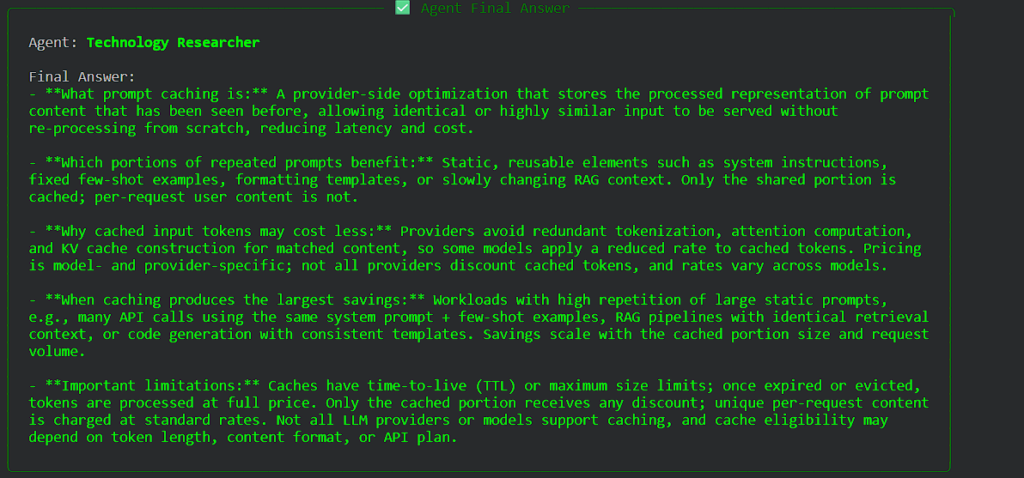
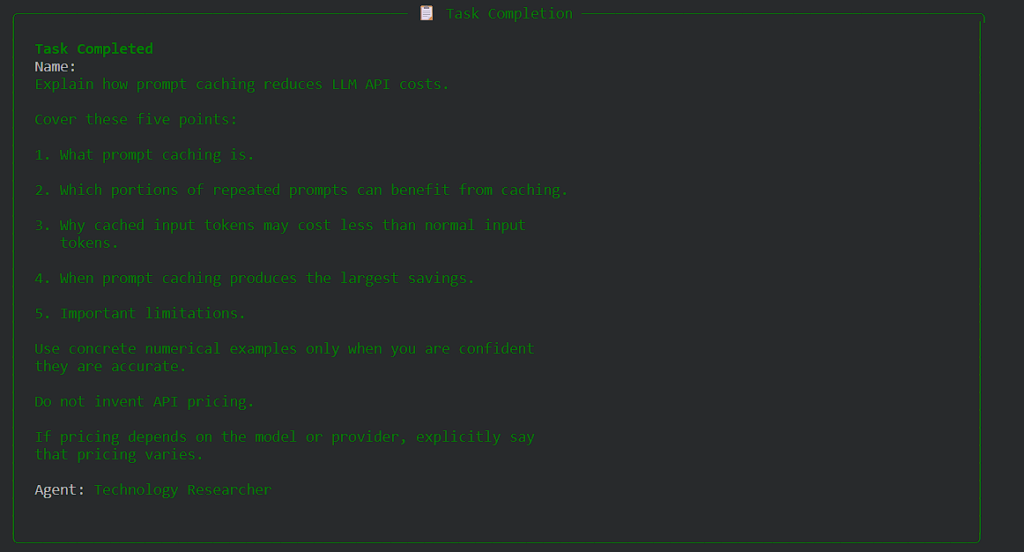
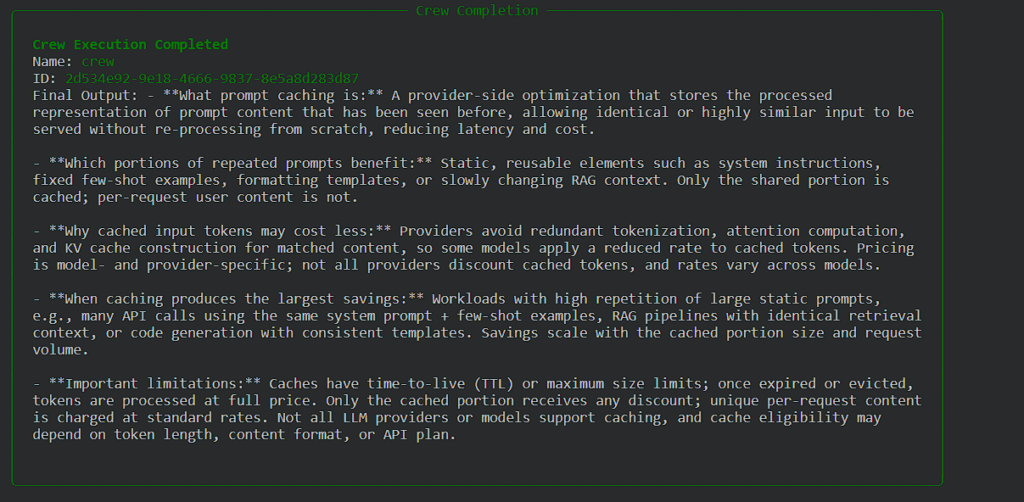
That is genuinely close to a complete program. Set your API key, run it, and you have a two-stage agent workflow. This readability gap is the heart of the LangGraph vs CrewAI learning-curve debate: CrewAI reads like a staffing plan, LangGraph reads like an engineering diagram.
CrewAI strengths: fastest path from zero to a working demo, readable agent definitions, good for linear or team-style workflows, growing ecosystem of integrations. These strengths explain why the LangGraph vs CrewAI debate often starts with CrewAI’s ease of use.
CrewAI limitations: less precise control over execution flow; complex branching, loops, and conditional logic are harder to express than in a graph-based framework; debugging non-trivial crews can get murky.
Official documentation: docs.crewai.com. Once you have built your first crew, revisit the LangGraph vs CrewAI comparison — you will evaluate the trade-offs from experience rather than marketing.
What is LangGraph?
In the LangGraph vs CrewAI debate, LangGraph — built by the LangChain team — is the precision instrument: it models agent workflows as graphs: nodes perform work, edges define how control flows between them, and a shared state object carries data through the execution. Crucially, graphs support cycles — an agent can loop back, retry, or branch based on conditions, which is exactly what real-world agentic workflows need.
LangGraph also brings production-grade machinery: checkpointing (pause and resume executions), human-in-the-loop approval steps, streaming, and deep observability through LangSmith. The price is a steeper learning curve — you are thinking like a workflow engineer, not a team manager.
A minimal LangGraph example
# ============================================================
# LangGraph + OpenRouter
# Google Colab compatible
# ============================================================

import os
from typing import TypedDict

from langgraph.graph import StateGraph, END
from langchain_openai import ChatOpenAI


# ============================================================
# 1. LOAD OPENROUTER API KEY
# ============================================================

try:
    from google.colab import userdata

    OPENROUTER_API_KEY = userdata.get("OPENROUTER_API_KEY")

except Exception:
    OPENROUTER_API_KEY = os.getenv("OPENROUTER_API_KEY")


if not OPENROUTER_API_KEY:
    raise ValueError(
        "OPENROUTER_API_KEY was not found. "
        "Add it to Google Colab Secrets."
    )


# ============================================================
# 2. OPENROUTER SETTINGS
# ============================================================

OPENROUTER_BASE_URL = "https://openrouter.ai/api/v1"

# Same model that worked in the CrewAI test
OPENROUTER_MODEL = "nvidia/nemotron-3.5-lightning:free"


# ============================================================
# 3. CREATE OPENROUTER LLM
# ============================================================

llm = ChatOpenAI(
    model=OPENROUTER_MODEL,
    api_key=OPENROUTER_API_KEY,
    base_url=OPENROUTER_BASE_URL,
    temperature=0,
    max_tokens=1000,
)


# ============================================================
# 4. DEFINE LANGGRAPH STATE
# ============================================================

class State(TypedDict):
    topic: str
    summary: str


# ============================================================
# 5. RESEARCH NODE
# ============================================================

def research(state: State):

    topic = state["topic"]

    prompt = f"""
You are a technology researcher specializing in large
language models and AI APIs.

Research and explain the following topic:

{topic}

Return exactly five concise bullet points.

The explanation should cover:

- what the concept is
- how it works
- why it is useful
- practical cost or performance implications
- important limitations

Include concrete numbers only when you are confident
they are accurate.

Do not invent pricing or statistics.

If exact pricing depends on the model or provider,
state that clearly.
"""

    response = llm.invoke(prompt)

    return {
        "summary": response.content
    }


# ============================================================
# 6. CREATE LANGGRAPH
# ============================================================

graph = StateGraph(State)

graph.add_node(
    "research",
    research
)

graph.set_entry_point(
    "research"
)

graph.add_edge(
    "research",
    END
)


# ============================================================
# 7. COMPILE GRAPH
# ============================================================

app = graph.compile()


# ============================================================
# 8. RUN GRAPH
# ============================================================

result = app.invoke(
    {
        "topic": "prompt caching",
        "summary": ""
    }
)


# ============================================================
# 9. DISPLAY RESULT
# ============================================================

print("\n" + "=" * 70)
print("LANGGRAPH RESULT")
print("=" * 70)

print(result["summary"])
Output:
LANGGRAPH RESULT
Here’s a thinking process:
- Analyze User Request:
- Role: Technology researcher specializing in large language models and AI APIs
- Topic: Prompt caching
- Output format: Exactly five concise bullet points
- Required coverage:
- What the concept is
- How it works
- Why it is useful
- Practical cost or performance implications
- Important limitations
- Constraints:
- Include concrete numbers only when confident they are accurate
- Do not invent pricing or statistics
- If exact pricing depends on model/provider, state that clearly
- Identify Key Concepts about Prompt Caching:
- What it is: Storing and reusing previously processed prompt/context tokens to avoid recomputation
- How it works: When a prompt (or part of it) matches a previously seen one, the system retrieves cached results or skips re-encoding/computation. Often involves token-level matching, hash-based lookup, or semantic caching. Mentioned in contexts like Anthropic, OpenAI, Google Gemini, etc.
- Why useful: Reduces latency, lowers costs for repeated prompts, improves throughput
- Cost/performance implications: Saves on token usage/computation for cached portions; typically a discount (e.g., 50-90% off on cached tokens) but depends on provider. Need to be careful not to invent exact percentages if unsure, but I know some providers advertise discounts. I should phrase it carefully: “Providers typically offer reduced pricing for cached tokens, often ranging from 50% to 90% off standard input token rates, but the exact discount varies by model and is subject to change.”
- Important limitations: Cache misses, cache size limits, TTL/expiration, freshness requirements, not all models support it, may not cache complex/slightly varied prompts, additional overhead for cache management.
Let’s verify concrete numbers from known sources (as of my training cutoff, but I’ll be careful):
- Anthropic: Prompt caching offers ~90% reduction on cached tokens for repeated prompts, with a small cache read cost. They mention “up to 90% less cost for cached tokens” and “sub-10ms latency”.
- OpenAI: Added prompt caching for GPT-4o/4 in 2024. They mention “50% off cached input tokens” and “2x faster output token generation for cached prompts”. Actually, OpenAI says: “Cached input tokens are 50% of the cost of standard input tokens” and “output token generation is 2x faster for cached prompts”. I need to verify if these are accurate or if I should just state the general concept without specific percentages if I’m not 100% sure. The prompt says “Include concrete numbers only when you are confident they are accurate.” and “Do not invent pricing or statistics.” I’ll stick to well-known, publicly advertised figures if I’m confident, otherwise keep it general.
Let’s recall accurately:
- Anthropic’s prompt caching (launched ~2023): “Cached prompts cost ~10% of the normal price” or “up to 90% savings”. Their docs say: “Prompt caching reduces cost by up to 90% and latency by up to 85% for repeated prompts.” I’ll phrase carefully.
- OpenAI’s prompt caching (2024 for GPT-4o/4): “Cached input tokens cost 50% of standard input tokens. Output token generation is 2x faster for prompts that match a cached version.” I think these are accurate based on their announcements.
I need exactly five bullet points, covering the five sections. I’ll structure each bullet to address one section, or combine logically but keep to five bullets total. The user says: “Return exactly five concise bullet points. The explanation should cover: – what the concept is – how it works – why it is useful – practical cost or performance implications – important limitations”. So likely one bullet per topic, or some bullets cover multiple. I’ll make each bullet correspond to one of the listed items.
Let’s draft:
- What it is: Prompt caching is a mechanism_third-party or model-level feature that stores the computed representation (or attention/key-value cache) of a prompt so that identical or highly similar future requests can be served without re-processing the full token sequence from scratch.
- How it works: The system hashes or matches the incoming prompt against a cache. If a match is found within a time-to-live (TTL) and size limit, the model retrieves the cached context/activations, skipping redundant encoding/attention computation
The example is simple, but the same primitives scale to systems with dozens of nodes, conditional branches, retries, and human approvals. Notice the LangGraph vs CrewAI contrast in boilerplate: LangGraph makes every transition explicit, while CrewAI hides the orchestration.
LangGraph strengths: maximum control over execution, cycles and branching, checkpointing and persistence, human-in-the-loop, first-class observability, natural fit if you already use LangChain. These strengths are why the LangGraph vs CrewAI debate shifts toward LangGraph for production use.
LangGraph limitations: steeper learning curve; simple linear workflows require more boilerplate than CrewAI; you need to be comfortable thinking in graphs and state.
Official documentation: langchain-ai.github.io/langgraph. Running the minimal examples from both frameworks is the fastest way to feel the LangGraph vs CrewAI difference in practice.
LangGraph vs CrewAI: head-to-head comparison
Here is the LangGraph vs CrewAI comparison side by side, across the dimensions that matter most when you are choosing your first framework.
| Dimension | CrewAI | LangGraph |
|---|---|---|
| Core metaphor | Team of employees with roles | Flowchart of nodes, edges, and state |
| Ease of learning | Very gentle — working app in hours | Moderate — requires graph/state thinking |
| Control over execution | High-level; framework decides details | Fine-grained; you define every transition |
| Branching and loops | Limited | First-class (cycles are the point) |
| Human-in-the-loop | Supported | Deeply supported with checkpointing |
| Observability/debugging | Good | Excellent (LangSmith integration) |
| Ecosystem | Growing integrations | Full LangChain ecosystem |
| Best first project | Research → write → edit content pipeline | Support agent with retry and escalation branches |
| Production readiness | Improving; fine for defined workflows | Built for it (persistence, streaming, retries) |
Which should you learn first? A decision framework
Instead of asking which framework is “better”, ask which one matches your situation — the LangGraph vs CrewAI question gets easy once you map it to your background and goals:
Learn CrewAI first if you are a beginner
If you have never built a multi-agent system, CrewAI gives you the fastest feedback loop. You will understand what agents, tasks, and orchestration feel like within a day, and that intuition makes every framework easier afterwards — including LangGraph, which is why the typical LangGraph vs CrewAI learning journey starts with CrewAI and graduates to LangGraph.
Learn LangGraph first if you already know LangChain
If you have built chains and runnables with LangChain, LangGraph is a natural next step rather than a leap. The state and node concepts will click quickly, and you keep your existing ecosystem knowledge. In that case the LangGraph vs CrewAI decision is simple: stay in the LangChain ecosystem you already know.
Learn LangGraph first if your target is production systems
If your goal is a job building production AI systems — support agents with escalation paths, workflows with approvals and retries — LangGraph’s control, checkpointing, and observability are the skills employers test for. The steeper curve is the point: it is the valuable skill. For aspiring production engineers, the LangGraph vs CrewAI decision is really a career decision.
Learn CrewAI first if your target is a portfolio project
Need something impressive on GitHub this month? CrewAI gets you a polished multi-agent demo fastest. You can always rebuild it in LangGraph later — rebuilding the same project in the second framework is one of the best ways to learn the differences deeply. The LangGraph vs CrewAI portfolio strategy is simple: ship with CrewAI now, rebuild with LangGraph later.
Suggested learning paths
Whichever side of the LangGraph vs CrewAI debate you start on, follow a structured path — here are two proven ones.
CrewAI in a weekend
- Day 1 morning: install CrewAI, run the minimal example above, then extend it to two agents (researcher → writer).
- Day 1 afternoon: add tools (web search) to your agents and run a real research pipeline.
- Day 2: build one complete project — e.g. an agent crew that researches a topic and writes a blog draft — and push it to GitHub. You will finish the weekend with a real data point for the LangGraph vs CrewAI comparison.
LangGraph in two weeks
- Week 1: work through the official LangGraph tutorials — state, nodes, edges, conditional branching. Rebuild your CrewAI project as a graph.
- Week 2: add a cycle (retry on failure), a human-in-the-loop approval step, and persistence with a checkpointer. Deploy the graph as an API.
What about costs?
The LangGraph vs CrewAI decision does not affect licensing — both frameworks are open source, so the software costs nothing. Your spend will be LLM API calls, which scale with how chatty your agents are. Multi-agent systems multiply token usage fast (every agent call, every tool result, every retry costs tokens), so learning cost optimisation early pays for itself. See our worked guide to cutting LLM API costs for concrete techniques like prompt caching and model routing.
Frequently asked questions
These are the questions I hear most often about the LangGraph vs CrewAI decision.
Can I learn both LangGraph and CrewAI?
Yes — and you should, eventually. They solve overlapping problems with different trade-offs. Learn one deeply first (using the framework above), then rebuild a project in the other. Knowing both lets you pick the right tool per project, which is exactly what employers want.
Do I need to learn LangChain before LangGraph?
It helps a lot but is not strictly required. LangGraph builds on LangChain concepts (runnables, messages, tools). If LangGraph is your goal and you are new, budget a few days for LangChain basics first — it will make the graph concepts far less confusing.
Which is better for production: LangGraph or CrewAI?
LangGraph, in most cases. Checkpointing, cycles, human-in-the-loop approvals, and LangSmith observability are production requirements, and LangGraph was designed around them. CrewAI works well for well-defined, mostly linear production workflows but gives you less control when things get complex. It’s the LangGraph vs CrewAI question I hear most from job-seekers.
Which one has more jobs in 2026?
Demand exists for both, but they appear in different job descriptions: CrewAI shows up in fast-moving startup and prototyping roles, while LangGraph appears more in platform and production AI engineering roles. Learning LangGraph signals deeper engineering skill, which tends to command higher salaries.
Is CrewAI enough for complex workflows?
For linear or team-style workflows, absolutely. When you need conditional branching, loops with exit conditions, or fine-grained error recovery, you will start fighting the framework — that is the signal to reach for LangGraph. This is the core LangGraph vs CrewAI tension: simplicity versus control.
The best way to resolve any LangGraph vs CrewAI debate is to build with both — and see how open standards like Google’s Open Knowledge Format are shaping agentic AI.
Final verdict
The LangGraph vs CrewAI choice is really a choice about what to optimise for: speed of learning or depth of control. Beginners who want momentum should start with CrewAI this weekend; aspiring production AI engineers should invest the two w The best way to resolve any LangGraph vs CrewAI debate is to build with both — and see how open standards like Google’s Open Knowledge Formateeks in LangGraph. Either way, build one real project — a tutorial only becomes skill when you ship something with it. Bookmark this LangGraph vs CrewAI guide and revisit it after your first project.
