
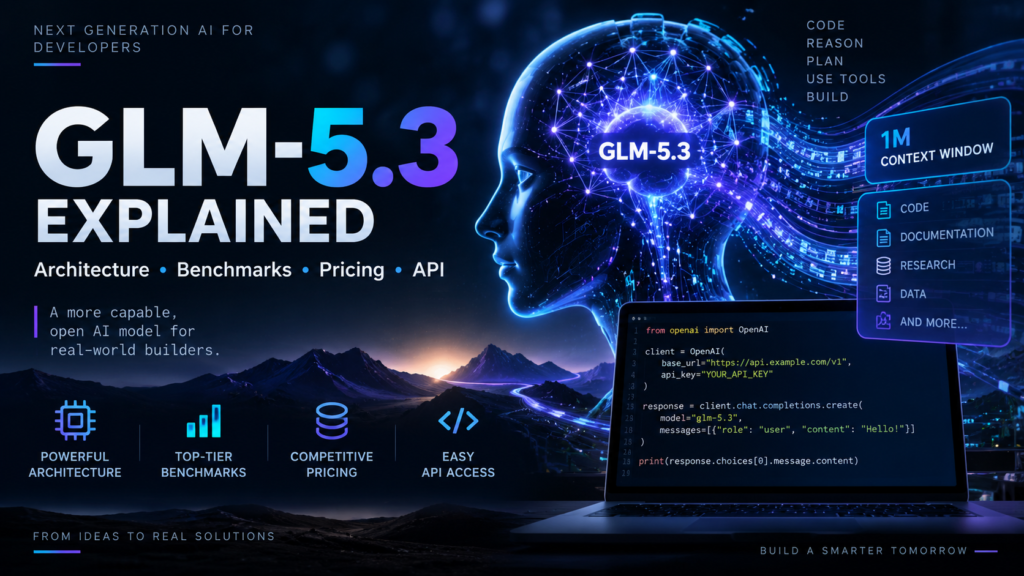
GLM-5.3 arrives at a moment when the AI model race is no longer only about who can generate the most convincing paragraph or answer a difficult question. The bigger test is whether a model can work through a complicated software project, use tools, reason across many steps, understand a large codebase, and keep going without losing the original objective.
That is where GLM-5.3 becomes interesting.
Developed by Z.ai, GLM-5.3 is positioned around complex software engineering, reasoning, and long-horizon agent tasks. Z.ai says the model uses the same base model as GLM-5.2, with the major improvements coming from post-training rather than a completely new pretraining run. The company reports a 50% improvement over GLM-5.2 on its internal Z.ai Code Bench and open-source-leading results on several public evaluations.
For developers, there is another reason to pay attention: GLM-5.3 is available through OpenAI-compatible interfaces, making it relatively straightforward to test from an existing Python application.
Let’s take a closer look.
What is GLM-5.3?
GLM-5.3 is a large language model from Z.ai designed particularly for coding, reasoning and long-running agentic workflows.
Unlike a model that is optimized primarily for short conversational responses, GLM-5.3 is designed to handle tasks that require multiple stages of reasoning and interaction with development tools.
Z.ai describes the model as an open-weights model and highlights improvements in complex coding and long-horizon tasks. The model card also lists support for local deployment through frameworks including vLLM, SGLang and Transformers.
This makes GLM-5.3 relevant to developers who want to experiment with:
- AI coding assistants
- Software engineering agents
- Code generation and debugging
- Repository-level reasoning
- Long-context applications
- Tool-using agents
- Automated development workflows
- Structured-output applications
One particularly interesting aspect is that the GLM-5.3 release focuses heavily on post-training. In other words, the story isn’t simply “make the base model larger.” A significant part of the improvement comes from teaching the existing model to perform better on difficult, long-running tasks.
Core specifications of GLM-5.3
Some of the specifications currently associated with GLM-5.3 are particularly relevant for developers.
| Specification | GLM-5.3 |
|---|---|
| Developer | Z.ai |
| Model type | Large language model |
| Focus | Coding, reasoning and agents |
| Context window | Up to 1M tokens |
| Maximum output | About 128K–131K tokens depending on API/provider |
| Modality | Text |
| Architecture | Mixture-of-Experts |
| Weights | Open weights |
| API | OpenAI-compatible options |
| Local deployment | vLLM, SGLang, Transformers and others |
The official model repository confirms that GLM-5.3 can be used with Transformers and can be served using vLLM or SGLang with an OpenAI-compatible /v1/chat/completions endpoint.
The 1-million-token context window is particularly interesting for software engineering. A developer can potentially provide substantially more source code, documentation, terminal output and project context without repeatedly compressing the conversation.
Architecture Deep Dive
One of the most interesting things about GLM-5.3 is that its architecture story is different from a typical “new model = new pretrained foundation” release.
Z.ai says GLM-5.3 uses the same base model as GLM-5.2, with improvements coming through post-training.
That distinction matters.
Instead of relying exclusively on another enormous pretraining cycle, the development effort focuses heavily on improving how the model behaves when confronted with difficult tasks.
Mixture-of-Experts architecture
GLM-5.3 belongs to the Mixture-of-Experts family. In an MoE system, not every parameter necessarily participates in every token prediction.
The practical idea is relatively simple:
Instead of activating the entire model for every token, specialized portions of the network can be selected for different inputs.
This can provide a useful balance between a very large total parameter capacity and more manageable computation per token.
The exact parameter count is an area where developers should be careful when writing articles. Community sources commonly describe a roughly 743B–753B parameter MoE base, but the exact figure should not be presented as an official Z.ai specification unless Z.ai explicitly confirms it.
Long-context reasoning
GLM-5.3’s large context capability is one of its most useful features for engineering workflows.
Imagine asking an AI assistant to work on a large repository. Instead of providing one file at a time, a long-context model can retain substantially more information about:
- source files
- configuration
- tests
- documentation
- terminal output
- architecture decisions
- previous changes
That becomes especially useful when building autonomous coding agents.
GLM-5.3 Benchmark Results
Benchmarks are where GLM-5.3 gets particularly interesting.
According to Z.ai’s published model card, GLM-5.3 scores 88.2 on Terminal Bench 2.1, 28.3 on Terminal Bench 3.0, 66.9 on DeepSWE v1.1, and 58.0 on NL2Repo.
It also reports:
- 84.5 on CyberGym
- 73.0 on Toolathlon Verified
- 48.2 on AutomationBench
- 28.5 on Agents’ Last Exam
- 62.5 on HLE with Tools
- 1769 on GDPval-AA v2
The CyberGym result is particularly notable because the published table places GLM-5.3 at 84.5, ahead of the other listed models on that evaluation. However, the same table shows that the model does not lead every benchmark. For example, other models score higher on several software-engineering and agent evaluations.
That is an important point for anyone comparing GLM-5.3 against DeepSeek, Qwen, or proprietary models: there is no single benchmark that determines which model is “best” for every workload.
Your own workload matters more.
My recommendation for developers
If you are writing a serious GLM-5.3 review, don’t stop at published benchmarks.
Run the model against real tasks:
- Debugging
- SQL generation
- Regex
- FastAPI development
- Docker
- Unit testing
- Refactoring
- Algorithms
- Security review
- Production debugging
Measure:
- latency
- input tokens
- output tokens
- tokens per second
- success rate
- retries
- task accuracy
- cost
That produces a much more useful developer benchmark than simply copying a leaderboard.
GLM-5.3 Pricing
Pricing depends on where you access the model. If you are trying to bring inference spend down across every model you run, I cover the tactics in how to cut LLM API costs by 80%.
Current published third-party pricing references list the standard GLM-5.3 API price around $1.40 per million input tokens and $4.40 per million output tokens, with cached input around $0.26 per million tokens. Prices can vary by provider, region, promotions and gateway. I break these numbers down against real workloads in my full cost and benchmark breakdown.
There is also a free GLM-5.3 route through TokenRouter under the model identifier:
z-ai/glm-5.3-free
TokenRouter currently lists that model with zero-dollar input and output pricing. Availability and limits can change, so check the live provider page before relying on a free endpoint for production workloads.
For experimentation, a free route can be extremely useful. For production, however, developers should evaluate rate limits, reliability, latency, data handling and provider terms—not just the token price.
How to Get a GLM-5.3 API Key
There are several ways to access GLM-5.3.
Option 1: Z.ai
The first-party route is through Z.ai’s developer/API platform.
Create an account, open the API/developer area, create an API key, and then use the appropriate GLM API endpoint and model identifier.
Z.ai provides API and billing sections through its developer platform.
Option 2: TokenRouter
For developers who already use the OpenAI Python SDK, TokenRouter is convenient because its API is OpenAI-compatible.
Its documentation specifically describes the migration as a base-URL change while keeping the request format, streaming and SDK structure compatible.
TokenRouter currently lists z-ai/glm-5.3-free as an OpenAI-compatible text model.
Never hard-code your API key into your Python source code.
Use an environment variable or .env file.
Hands-On: Using GLM-5.3 Through the API
Let’s use a simple warranty-claim example.
The objective is straightforward: determine whether a customer’s warranty claim was submitted within the warranty period and return a structured JSON response.
For this example:
- Purchase date: April 12, 2025
- Claim date: March 2, 2026
- Warranty: 12 months
- Damage: manufacturing defect
A 12-month warranty from April 12, 2025 reaches April 12, 2026. Therefore, a claim submitted on March 2, 2026 falls inside the warranty period.
Python example
With an OpenAI-compatible provider such as TokenRouter, the code can look like this:
#!/usr/bin/env python3

"""
Warranty-claim reasoning task against GLM-5.3
through TokenRouter's OpenAI-compatible API.

Asks the model to decide whether a claim falls inside
the warranty period and to return structured JSON.
"""

import os
import re
import sys
import json

from dotenv import load_dotenv
from openai import OpenAI


# ============================================================
# LOAD ENVIRONMENT VARIABLES
# ============================================================

load_dotenv()

API_KEY = os.getenv("GLM_API_KEY")

BASE_URL = os.getenv(
    "GLM_BASE_URL",
    "https://api.tokenrouter.com/v1"
)

MODEL = os.getenv(
    "GLM_MODEL",
    "z-ai/glm-5.3-free"
)


# ============================================================
# VALIDATE CONFIGURATION
# ============================================================

if not API_KEY:
    sys.exit(
        "ERROR: GLM_API_KEY is not set in your .env file."
    )

if not BASE_URL:
    sys.exit(
        "ERROR: GLM_BASE_URL is not set."
    )


# ============================================================
# PROMPTS
# ============================================================

SYSTEM = (
    "You are a warranty claims adjudicator. "
    "Reason carefully about dates. "
    "Reply with a single raw JSON object and nothing else: "
    "no prose, no markdown fences."
)

USER = (
    "A customer has submitted a warranty claim.\n\n"
    "Purchase date: 2025-04-12\n"
    "Claim date: 2026-03-02\n"
    "Warranty duration: 12 months\n"
    "Damage type: manufacturing defect\n\n"
    "Determine whether the claim is within the warranty period.\n"
    "Return JSON with these keys:\n"
    '  "decision"  - one of "approved" or "denied"\n'
    '  "rationale" - one or two sentences, stating the '
    "warranty expiry date"
)


# ============================================================
# PARSE THE MODEL'S JSON
# ============================================================

def parse_json(text):

    """
    Return the JSON object in `text`, or None.

    Tolerates markdown fences and stray prose, which
    models emit even when told not to.
    """

    if not text:
        return None

    candidate = text.strip()

    # ------------------------------------------------
    # STRIP ```json ... ``` FENCES
    # ------------------------------------------------

    fenced = re.match(
        r"^```(?:json)?\s*(.*?)\s*```$",
        candidate,
        re.DOTALL,
    )

    if fenced:
        candidate = fenced.group(1)

    try:
        return json.loads(candidate)

    except json.JSONDecodeError:
        pass

    # ------------------------------------------------
    # FALL BACK TO THE OUTERMOST { ... }
    # ------------------------------------------------

    start = candidate.find("{")
    end = candidate.rfind("}")

    if start == -1 or end <= start:
        return None

    try:
        return json.loads(
            candidate[start:end + 1]
        )

    except json.JSONDecodeError:
        return None


# ============================================================
# MAIN
# ============================================================

def main():

    client = OpenAI(
        api_key=API_KEY,
        base_url=BASE_URL,
    )

    messages = [
        {
            "role": "system",
            "content": SYSTEM
        },
        {
            "role": "user",
            "content": USER
        },
    ]

    try:

        response = client.chat.completions.create(
            model=MODEL,
            messages=messages,
        )

    except Exception as exc:

        sys.exit(
            f"ERROR: request to {MODEL} failed: {exc}"
        )

    # ------------------------------------------------
    # GUARD AGAINST AN EMPTY RESPONSE
    # ------------------------------------------------

    if not response.choices:
        sys.exit(
            "ERROR: the API returned no choices."
        )

    content = response.choices[0].message.content

    if not content:
        sys.exit(
            "ERROR: the model returned empty content."
        )

    # ------------------------------------------------
    # PRINT PARSED JSON, OR THE RAW TEXT
    # ------------------------------------------------

    parsed = parse_json(content)

    if parsed is None:

        print(
            "WARNING: response was not valid JSON. "
            "Raw output:\n"
        )

        print(content)

        return 1

    print(
        json.dumps(
            parsed,
            indent=2,
            ensure_ascii=False,
        )
    )

    return 0


# ============================================================
# ENTRY POINT
# ============================================================

if __name__ == "__main__":
    sys.exit(main())
The important part is the OpenAI-compatible client configuration:
client = OpenAI(
    base_url="https://api.tokenrouter.com/v1",
    api_key=os.environ["GLM_API_KEY"],
)
TokenRouter documents OpenAI-compatible chat completions and streaming support, so existing OpenAI SDK applications can be adapted without rewriting the entire application.
Using a .env file
For local development, you can use:
GLM_API_KEY=your_api_key_here
GLM_BASE_URL=https://api.tokenrouter.com/v1
GLM_MODEL=z-ai/glm-5.3-free
Then load it with python-dotenv:
from dotenv import load_dotenv
import os

load_dotenv()

api_key = os.getenv("GLM_API_KEY")
This is much safer than putting your secret directly inside the Python source.
What should the model return?
For this example, the expected logical result is:

For production systems, I would go one step further and enforce structured output at the API/application layer rather than trusting a model to always produce perfectly valid JSON.
Is GLM-5.3 Good for Developers?
For software engineering and agentic workflows, GLM-5.3 is certainly worth testing.
Its biggest attractions are not simply the model’s headline benchmark scores. The combination of long context, coding capability, reasoning, open weights and multiple deployment options makes it particularly interesting for developers building their own AI infrastructure.
The official model card also provides deployment paths through Transformers, vLLM and SGLang, which gives developers more control than a purely hosted model.
At the same time, GLM-5.3 isn’t automatically the best model for every application.
If your application needs vision, for example, you should look at GLM-5.3-Flash and other multimodal models rather than assuming the standard model handles every modality. TokenRouter currently categorizes it as text-only.
Conclusion
GLM-5.3 is an interesting development in the open-weights AI ecosystem because its story is less about simply creating another larger foundation model and more about improving what a model can actually accomplish after extensive post-training.
Its focus on coding, reasoning and long-horizon agent tasks makes it particularly relevant to developers building AI coding assistants, software engineering agents and tool-using systems.
The combination of a very large context window, MoE architecture, open weights and support for deployment frameworks such as vLLM and SGLang gives developers several ways to experiment with the model.
The benchmark results are competitive, although GLM-5.3 does not dominate every evaluation. That is exactly why developers should test it against their own workloads instead of choosing a model solely from a leaderboard.
For someone starting today, a practical approach is simple: try GLM-5.3 through an OpenAI-compatible API, run a controlled benchmark, measure latency and token usage, and then compare those results with the models you already use.
That will tell you far more than a generic “best AI model” ranking.
Frequently Asked Questions
What is GLM-5.3?
GLM-5.3 is a large language model developed by Z.ai with a strong focus on coding, reasoning and long-horizon agentic tasks. Z.ai says it uses the same base model as GLM-5.2, with improvements driven by post-training.
Is GLM-5.3 open source?
Z.ai describes GLM-5.3 as an open-weights model. Its model is available through Hugging Face, with deployment options including Transformers, vLLM and SGLang.
What is the GLM-5.3 context window?
GLM-5.3 supports a context window of up to approximately 1 million tokens according to current model references.
How much does the GLM-5.3 API cost?
Current published references list approximately $1.40 per million input tokens and $4.40 per million output tokens for the standard API, although pricing varies by provider and can change.
Can I use GLM-5.3 with the OpenAI Python SDK?
Yes. GLM-5.3 is available through OpenAI-compatible APIs. TokenRouter, for example, documents OpenAI SDK compatibility with a different base URL and provider API key.
Is there a free GLM-5.3 API?
TokenRouter currently lists z-ai/glm-5.3-free with zero-dollar input and output pricing. Free availability, quotas and rate limits can change, so verify the provider’s current terms before using it for a production application.
Is GLM-5.3 good for coding?
Coding is one of GLM-5.3’s main strengths. Z.ai reports substantial improvements over GLM-5.2 on its internal coding benchmark and competitive results across several public software-engineering evaluations.
Can I run GLM-5.3 locally?
Yes. Z.ai’s model repository documents deployment options using Transformers, vLLM and SGLang, among other supported frameworks.
GLM-5.3 vs DeepSeek: which is better?
There is no universal winner. The better model depends on the workload, context requirements, coding performance, latency, price and tool-use requirements. A task-specific benchmark is more meaningful than relying on a single leaderboard score. For a like-for-like cost comparison, see my breakdown of DeepSeek V4.1 Flash pricing.
